

LinkedIn Conversion Tracking Audit: Save the Baseline First
Save rule IDs, the campaigns tied to each rule, raw exports, container versions, CRM stage rules and status screens before anyone edits tracking.
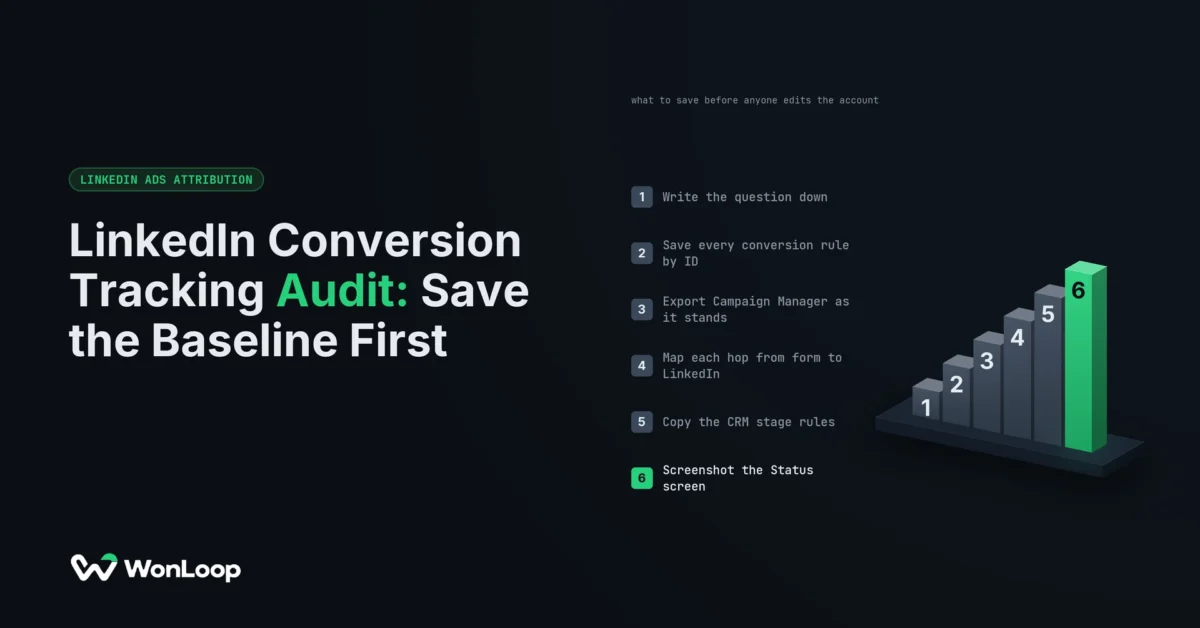
Before anyone edits a tag, open Campaign Manager, go to Measure, then Conversion tracking, and write down every rule ID on the page. That list is the start of a LinkedIn conversion tracking audit, and it is the step most repairs skip. Skip it and the repair can never show whether the extra events came from the fix or from a changed definition.
Here is how that goes wrong. Illustrative example, not a client result: an account logs 40 demo requests a month on the Insight Tag alone. The team adds the Conversions API. In the same week, someone moves the rule’s click window from 30 days to 90 days and ties a second rule, Contact Us, to the same campaigns. Next month shows 58. Some of those 18 came from the server events. Some came from the longer window. Some came from the second rule. Nobody saved the old settings, so nobody can split them.
If the definition changed, the before and after numbers no longer answer the same question.
So the first thing a LinkedIn conversion tracking audit hands over is a dated record another operator could rebuild, saved before the work starts.
Conversion rules, by ID
List every rule that touches the question you are checking. For each one, save the account, the rule ID, the name, the source, the action type, whether it is on, how value is set, the click and view windows, and the campaigns tied to it. Post-click windows come in 1 day, 7 days, 28 days, 30 days and 90 days, so save the exact one. If a field is not on screen, write that down. Guessing poisons the file.
Use the ID, not the name. Names repeat, and people rename rules mid-repair. Two rules called Demo Request look the same in a report. Their IDs do not.
The campaign list on each rule matters more than it looks. LinkedIn’s Conversions API documentation, checked 26 September 2026, says only campaigns tied to a conversion rule can take credit for its conversions. A rule with the wrong campaigns looks exactly like missing events. Fix the campaign list without saving the old one and the explanation is gone.
Two more rules from LinkedIn’s API docs belong here. When the Insight Tag and the Conversions API send the same event with the same eventId, LinkedIn keeps the tag event and drops the server one. So write down which rules share an eventId and which do not. And note that server events for offline stages must carry a conversionHappenedAt inside the past 90 days. Older CRM history cannot be sent later, so what you save now is the record.
Export what you can and screenshot the rest, with dates. No single export holds the whole rule setup.
The Campaign Manager export and its settings
Save the raw export and never edit it. Do your sums in a second file. Next to each export, keep a short note: account, campaigns, date range, time zone, currency, metrics, attribution windows, the rules you picked, the campaign status filter, when you pulled it, and who pulled it.
The status filter catches people out. A report with paused campaigns will not match one without them, and the gap looks like a tracking fault.
Dates catch people out too. Contact created, event fired and deal closed are three different dates, and each report picks one. Write down which one it uses.
Save the HubSpot side as well. HubSpot’s ads reporting guide, checked 26 September 2026, splits conversions the ad network reports from contacts HubSpot works out itself. It also says the attribution report you select changes the contact numbers. An audit that saves only “LinkedIn leads versus HubSpot leads” cannot rerun its own comparison.
Pick a baseline period that fits the question, and list every release, outage, tag change and campaign launch inside it. A long period is worse, not better, if it spans two tracking setups. Keep the pull time on each file too. Pull the same month again next week and the numbers can shift as late data lands, so keep both files.
Volume matters here. Our post on the honest minimum LinkedIn Ads spend sets the working line at about 50 conversion events per campaign per month. Below that, a before and after comparison is mostly noise. At 30 events a month, five extra is a 17% jump, and one good week can make that on its own. If the account sits under the line, say so in the file before anyone reads the result.
The data path and who owns each hop
Draw the real path for each action. A demo form might pass through the browser, a GTM web container, a GTM server container and the LinkedIn API. A closed-won deal takes a different road, out of the CRM.
For each hop, write the owner, where the setup lives, what goes in, what comes out, and where errors show up. Record the published container version. The workspace someone has open is not what ran on your baseline dates.
Look for overlap. A CMS plugin, theme code and GTM can all load the Insight Tag at once. Write it down before you remove anything; one copy may feed a rule nobody listed.
Then check how the eventId gets made and passed along. Where the browser and the server report the same form fill, save proof that they send the same ID. Two installs that each send their own ID will double count, and the double count will look like a win. Our LinkedIn Conversions API guide covers how to wire that. At baseline the question is narrower: can someone trace the setup without asking the person who built it?
Write down who owns each API token and how to recover it. Keep the tokens, cookies and raw emails out of the file. A baseline should cut risk, not start a new pile of personal data in a shared folder.
CRM stage definitions
A server event can arrive clean and still mean the wrong thing. For each stage you send to LinkedIn, save the object, the field that fires it, the old and new values it checks, the rule that makes a lead qualified, how the contact links to the deal, and where the value comes from. Note who can edit those fields and which workflows also write to them.
Then test three cases, because each one can fire a stage event that was never a new qualified buyer:
- A bulk import of old contacts.
- A deal that moves back a stage, then forward again.
- A normal edit to a field that has nothing to do with the stage.
If you use HubSpot’s own lifecycle events, record the date the event went live. HubSpot’s LinkedIn conversion event guide, checked 26 September 2026, says it counts lifecycle changes that happen after the event exists. It does not replay older history. A jump the month after setup can simply be the month counting started.
Save the contact sharing scope and any consent property it reads. Those two settings decide which records may leave the CRM at all. Leave them as they are during the audit. Widening the scope to watch the count rise is a change with privacy and reporting consequences, and it needs its own owner and review.
Diagnostics screens, before your first test
Screenshot each rule’s status and last signal before you fire a single test. Save any event count, match rate or dedup detail the screen shows. LinkedIn’s conversion status guide, checked 26 September 2026, says the extra Conversions API details open from an Active status. It also says counts and match rate can take a few hours to fill in, so a blank field an hour after a change tells you little.
Order matters. A test event overwrites the last signal. Capture the screen first, or your own test becomes the only evidence left.
Then run an approved test and log the time and the result you expect. Test both ways: a real submit should count, and a broken or spam submit should not. A CRM edit that is not a stage change should not become a new deal.
Log the consent state and the browser you tested in. An event held back under a denied consent state is the setup doing its job. A pass in one clean browser covers one browser. When the screens show a real fault, our Conversions API troubleshooting walkthrough picks up from here.
What a LinkedIn conversion tracking audit saves
Here is the whole file on one page. Each row can vanish in a single edit.
| What to save | Where it lives | Why it matters later |
|---|---|---|
| Conversion rule IDs and settings | Campaign Manager, Measure, Conversion tracking | Shows whether a new count came from a new rule or the old one |
| Campaigns tied to each rule | The rule’s campaign list | Only these campaigns can take credit for the rule |
| Click and view windows | The rule’s attribution settings | A longer window adds events with no fix at all |
| Raw report exports | Campaign Manager, plus the HubSpot ads report | Lets you rerun the same comparison with the same filters |
| Container versions | GTM, web and server, published version | Tells you what code ran on the baseline dates |
| CRM stage rules | HubSpot or Salesforce stage and lifecycle settings | Proves the event still means the same deal stage |
| Status and last signal | The rule’s Status screen and CAPI details | The only record of state before your tests touch it |
Ask for this same file when you check someone else’s work. The LinkedIn Ads agency audit checklist asks for the setup behind a report, and this is what that setup looks like on paper.
Running the LinkedIn conversion tracking audit in order
The order is the method. Each step saves something the next step can overwrite.
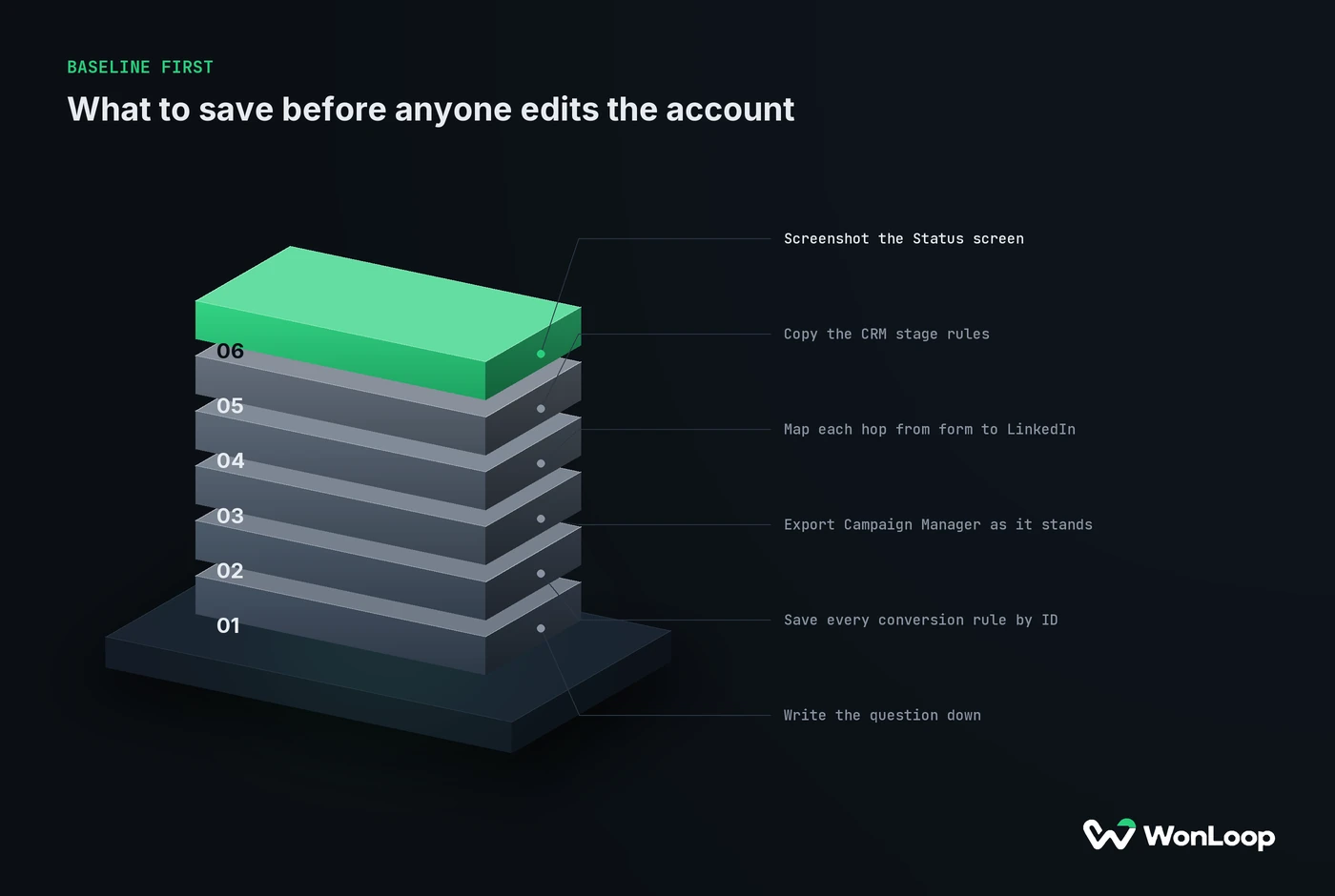
BASELINE FIRST
what to save before anyone edits the account
6 steps
Write the question down.
Name the action, the dates and the result you expect to see.
Save every conversion rule by ID.
Keep the source, the windows, the value and the campaigns tied to it.
Export Campaign Manager as it stands.
Keep the file raw and log every filter, date range and export time.
Map each hop from form to LinkedIn.
Put an owner and a container version on every step.
Copy the CRM stage rules.
Record the field, the trigger and the date the HubSpot event went live.
Screenshot the Status screen.
Do this before your first test, since the test overwrites the last signal.
End with three lists: faults you can prove, gaps you expect, and open questions. Each fault gets the action it hits, the proof, the impact, an owner and a way to check the fix. Each open question gets the missing evidence and a next step. “Probably cookies” goes on neither list.
Then write the repair plan as its own file: what will change, what must stay fixed, a rollback for each code change, and the same test journey to rerun after.
One exception. If a live fault is leaking personal data or wrecking the numbers right now, stop it first. Save what you safely can, fix the leak, and log the time you stepped in. A gap in the baseline is a limit you disclose. It is never a reason to let damage run.
After the repair, compare like with like. More traffic can mean more conversions with no better coverage. A new rule can raise the total without recovering a single lost event. Even a rate can move because the audience changed. The baseline lets you tell those apart. On its own, it proves nothing about cause.
The bottom line
A LinkedIn conversion tracking audit should leave a record another operator can rebuild: rule IDs and settings, the campaigns tied to each rule, raw exports with their filters, container versions, CRM stage rules, sharing scope and the status screens, all saved before anyone touches the account. Keep the repair plan in a separate file. When a number moves later, you can then name the part of the setup that moved with it.
LinkedIn Signal Repair fixes the faults this evidence turns up. It costs a fixed $1,800 and runs 14 days. We save the baseline first, and we do not count a longer attribution window as a recovered event.