

LinkedIn Ads and HubSpot Disagree: Reconcile the Numbers
Campaign Manager counts conversion events; HubSpot counts contacts and deals under its own credit rules. Peel the gap one layer at a time before calling any of it lost.
Campaign Manager says 84 conversions for the month. HubSpot's ads dashboard says 31 contacts and 2 closed-won deals. One person on the call blames LinkedIn. Another blames HubSpot. Both are guessing. When LinkedIn Ads and HubSpot disagree, the gap is almost always several small gaps stacked on top of each other, and most of them are expected. A few are real faults. The work is telling which is which.
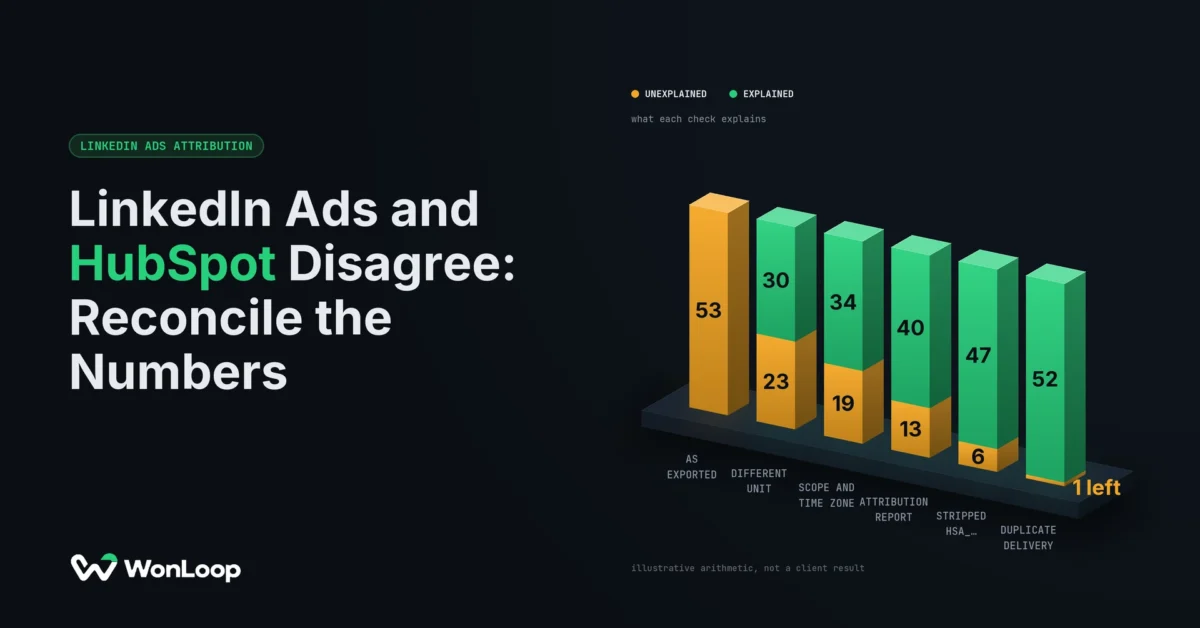
Below is one made-up month of LinkedIn Ads and HubSpot numbers, walked from 53 unexplained events down to 1. Each step is a check you can run this afternoon. The figures are illustrative. The platform behavior is not: it comes from HubSpot's and LinkedIn's own docs, checked September 26, 2026.
A conversion event is not a contact, and a contact is not pipeline.
Different units: LinkedIn Ads and HubSpot count different things
Start with the column headers, not the totals. In HubSpot, open Marketing > Ads and use Manage columns. Two columns matter here. Network conversions is the conversion data LinkedIn hands to HubSpot. Total contacts is the number of people HubSpot credits to your ads under the report you picked. HubSpot's ads reporting docs keep those two apart, and so should you.
So the first honest comparison is Campaign Manager against Network conversions, with the same filters. Contacts come after. Jump straight from 84 events to 31 people and you have compared two different units and called the difference a leak.
In our illustrative month, the 84 comes from four conversion rules. Two track the demo form, one through the Insight Tag and one through the Conversions API. The other two track a whitepaper download and a pricing-page visit. Those last two fired 30 times. None of them was ever going to create a demo contact. Drop them and the gap falls from 53 to 23. Nothing was fixed. We stopped comparing a page view to a person.
| Number | What it counts | Ask first |
|---|---|---|
| Campaign Manager conversions | Events credited under the conversion rules attached to the campaign | Which rules are in the total? |
| HubSpot Network conversions | The same kind of event, as LinkedIn reports it to HubSpot | Same account, campaigns, dates and time zone? |
| HubSpot Total contacts | People HubSpot credits to an ad under the selected report | Which Attribution Reports filter is set? |
| Qualified opportunities | CRM records that meet your own bar for a real deal | What qualifies, and is a contact attached? |
| Closed-won revenue | Deals that pass the ads tool's rules | Close date, stage and lifecycle stage set? |
Write the full metric name next to every number you export. "Leads" is not a label. It is how CPL theater starts: one friendly word stands in for four different outcomes, and the cheapest one gets reported.
Different scope: dates, time zones and paused campaigns
Next, make both reports look at the same slice of the account. For each export, write down the account, campaigns, dates, time zone, status filter, conversion rules and the time you pulled it.
HubSpot tells you to match the ad account's time zone to the one in HubSpot to cut drift in numbers like spend. It also filters by campaign status. A HubSpot view that hides paused campaigns will never match a Campaign Manager export that includes them.
Check spend and clicks first, clicks to clicks, not clicks to sessions. If spend does not match, fix the scope before you look at a single contact.
In the example, Campaign Manager runs on US Eastern time and HubSpot on UTC. They sit 4 hours apart in September, so two late-evening form fills land in different months. A campaign paused mid-month sits outside HubSpot's default filter and accounts for two more. The gap drops from 23 to 19.
Dates carry a second trap. A report keyed to contact create date and one keyed to deal close date answer different questions. A buyer who clicks in January, becomes a contact in February and signs 3 months after the click shows up in three monthly totals. On a sales cycle of 60 days or more, that is the normal case. Label the date basis as carefully as the metric.
A different attribution report inside HubSpot
Now check which report produced the 31. The ads dashboard has an Attribution Reports filter, and the options depend on your HubSpot tier. HubSpot's ads attribution docs list four:
- First ad interaction: the contact's first recorded touch was an ad.
- Last ad interaction: the last touch before they became a contact was an ad, and the contact was created in the same session as the click.
- Re-engagement: an existing contact clicks an ad and meets extra rules, including a prior ad touch on the record.
- All ad interactions: new or existing contacts with any ad touch.
That same-session rule on Last ad interaction does a lot of quiet work. Someone who clicks on Tuesday and fills the form on Thursday from a bookmark is not in it. Neither is anyone who was already a contact. And the aggregate reports on the ads tool's Analyze tab use Last ad interaction by default, with no way to change it. Two HubSpot screens can disagree with each other before LinkedIn enters the room.
In the example, the 31 was a Last ad interaction count. Four of the demo requests came from people already in the CRM. Two more clicked, left, and came back 2 days later. Switch to All ad interactions and HubSpot shows 37. The gap is now 13.
That is a change of definition, not a recovery. Finish this sentence for every report you compare: "This report credits an ad when ______." Then pick the report that answers the business question, and write down why the others differ. Picking whichever filter lands closest to 84 is how the numbers stop meaning anything.
Stripped hsa_ parameters: the first real fault
Everything so far was expected. This one is broken. HubSpot credits a contact to a specific ad through its ad auto-tracking parameters, the hsa_* values it appends to your destination URLs. Manual UTMs do not replace them. HubSpot says a URL with only UTMs can name the traffic source without tying the contact to an ad.
That explains a record that confuses almost everyone. The contact says Paid Social as its original source, yet the ads dashboard credits no ad. The source label proves the visit came from a social network. It says nothing about whether the ad-level trail survived.
In the example, the demo page sat behind a redirect that kept utm_* and dropped everything else. Seven contacts arrived with UTMs and no hsa_*. They are in HubSpot, labeled Paid Social, and missing from the ads report. The gap falls to 6. If your Insight Tag is also misfiring, our walk through why the LinkedIn Insight Tag stops recording conversions covers the browser side.
Trace one real click to find it:
- Copy the ad's destination URL and its parameters from Campaign Manager.
- Follow every redirect and read what actually reaches the landing page.
- Check the HubSpot tracking code loads, and behaves as the visitor's consent choice says it should.
- Submit the form, then open the new contact and read its source and ad fields.
If a custom form posts through the HubSpot Forms API, HubSpot wants the page URL and the tracking cookie in the request. Read the request itself, not just whether a contact showed up. Auto-tracking does not run backwards, so turning it on today will not credit the last 30 days of clicks. And test with consent set as it really is. A test that skips the banner proves nothing about real visitors.
Duplicate delivery from the Insight Tag and the Conversions API
Some of the remaining gap is on LinkedIn's side. One person can fill a form twice, and HubSpot will update one contact while LinkedIn counts two events. That is fine. Sending one form fill twice is not.
LinkedIn's deduplication docs set the contract. Create one conversion rule per source, browser and server, and send the same eventId with both. In LinkedIn's words: "If we receive an Insight Tag event and a Conversions API event from the same account with the same eventId, we discard the Conversions API event and count only the Insight Tag event in campaign reporting."
The rule only works if the IDs match. In the example, the page built one ID for the tag and the server built its own for the API call. LinkedIn had nothing to pair, so five form fills counted twice. The gap drops to 1.
Three questions settle it. Did the browser and the server report the same action? Did they carry the same ID for that action? Did a genuinely separate action get its own ID? One fixed ID reused on every form fill fails the third test. A tag that fires is not a conversion in a report. Test delivery and credit as two steps.
Deal association rules: where the 2 closed-won deals come from
The 2 closed-won deals are a separate count with separate rules. A deal sitting in HubSpot does not mean it shows as ad revenue. For the ads tool, HubSpot needs all of this:
- The deal stage is Closed won.
- The deal is associated with a contact the ads dashboard credits to an ad.
- The Close date is filled in and falls inside the report's dates.
- That contact sits in HubSpot's default Customer lifecycle stage.
The last one catches teams that renamed their stages. HubSpot says a custom lifecycle stage does not meet that rule, even if you call it "Client" and mean the same thing. These rules belong to the ads tool's metric. They are not HubSpot's definition of revenue everywhere.
In the example, finance shows three closed-won deals from these contacts. The third has no contact attached, because sales created it from a company record. Open the deal, read those four fields, then open its contact. Blaming the Conversions API for a missing association fixes nothing. Relabeling contacts to flatter an ad report fixes nothing either. That is the line between having an attribution tool and implementing one: access gives you a report, implementation decides which records get into it.
Log the LinkedIn Ads and HubSpot gap instead of fudging it
Here is the month, peeled one layer at a time:
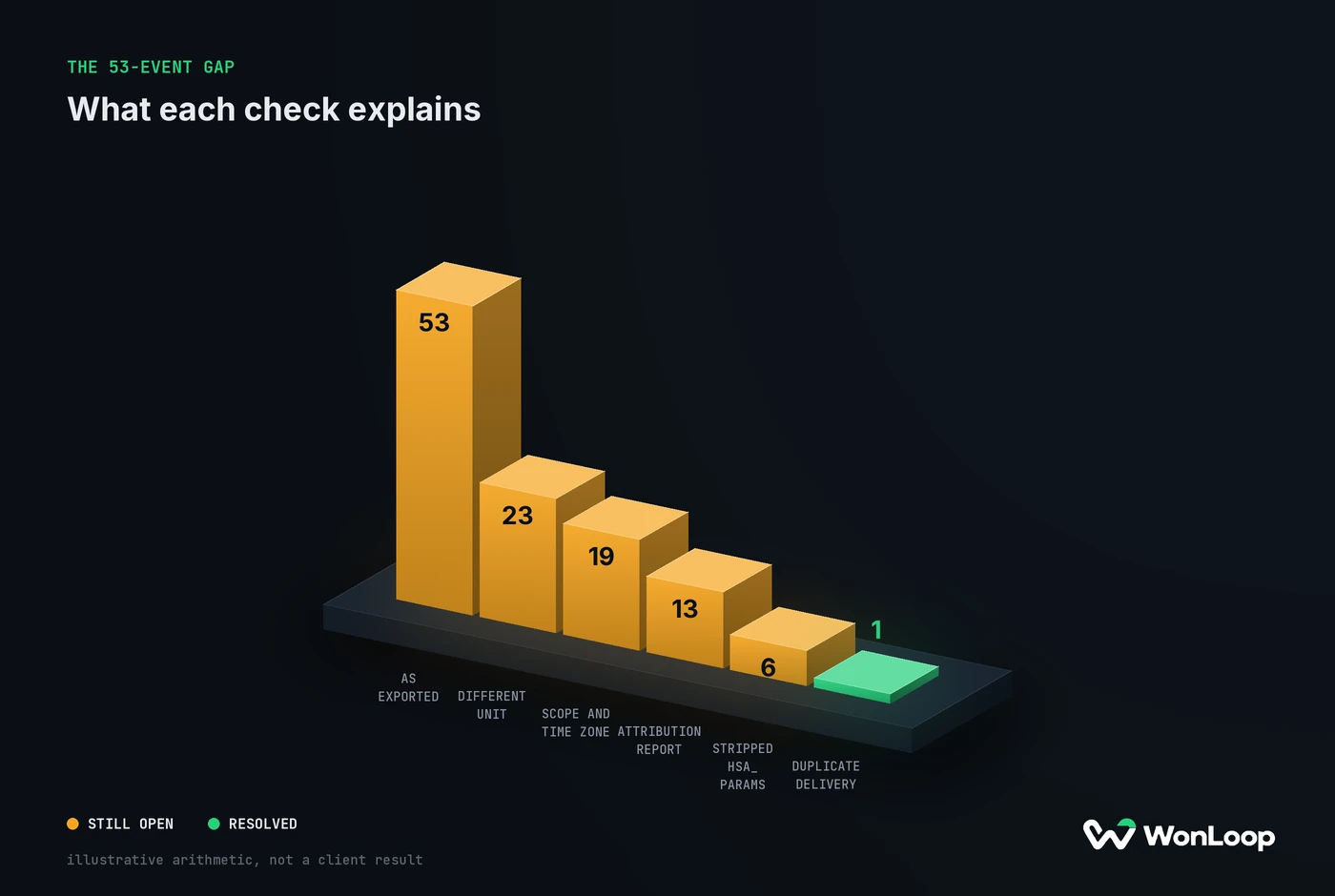
THE 53-EVENT GAP
what each check explains
| Metric | unexplained | explained |
|---|---|---|
| as exported | 53 | 0 |
| different unit | 23 | 30 |
| scope and time zone | 19 | 34 |
| attribution report | 13 | 40 |
| stripped hsa_ params | 6 | 47 |
| duplicate delivery | 1 | 52 |
Keep the raw exports untouched. Put findings in a separate sheet, one row per gap: rule IDs, the contact or deal ID, timestamp, metric, date basis, evidence, class and owner.
Use three classes. Expected: the reports count different things, dates or people. Confirmed fault: you found a stripped parameter, a missing association, a failed handoff or a duplicate. Unresolved: the evidence runs out. In the example, the stripped hsa_* values and the duplicate IDs are faults, the rest is expected, and 1 event stays unresolved. An aggregate export cannot always tie a LinkedIn event to a named person. Say so in the sheet. "Probably cookies" is not a root cause.
After a repair, rerun the same comparison with the same definitions. Otherwise the "improvement" may be a wider date range or a new filter. Freeze a conversion tracking baseline before you touch anything, so the before and after measure the same thing. And if you pay an agency, ask to see this log in their audit. "The platforms never match" is not a diagnosis.
The bottom line
LinkedIn Ads and HubSpot will not show the same total, and they should not. They count different units, on different clocks, under different credit rules. Your job is to explain the gap line by line: name the metric, match the scope, write down the report, then trace one click into a contact and one contact into a deal. Fix what the evidence shows is broken, like stripped hsa_* values or mismatched event IDs, and leave the expected differences alone.
LinkedIn Signal Repair is the fixed-scope version of this work: tested data paths, deduplicated events and a written list of what the numbers can and cannot tell you. It fixes the plumbing. It does not make a dashboard look healthier by changing what its numbers mean.