

LinkedIn Conversions API Troubleshooting, Symptom by Symptom
A 201 means LinkedIn took the request, not that it matched or gave credit. Check the rule status, the response, identifiers, campaign links and dedup, in that order.
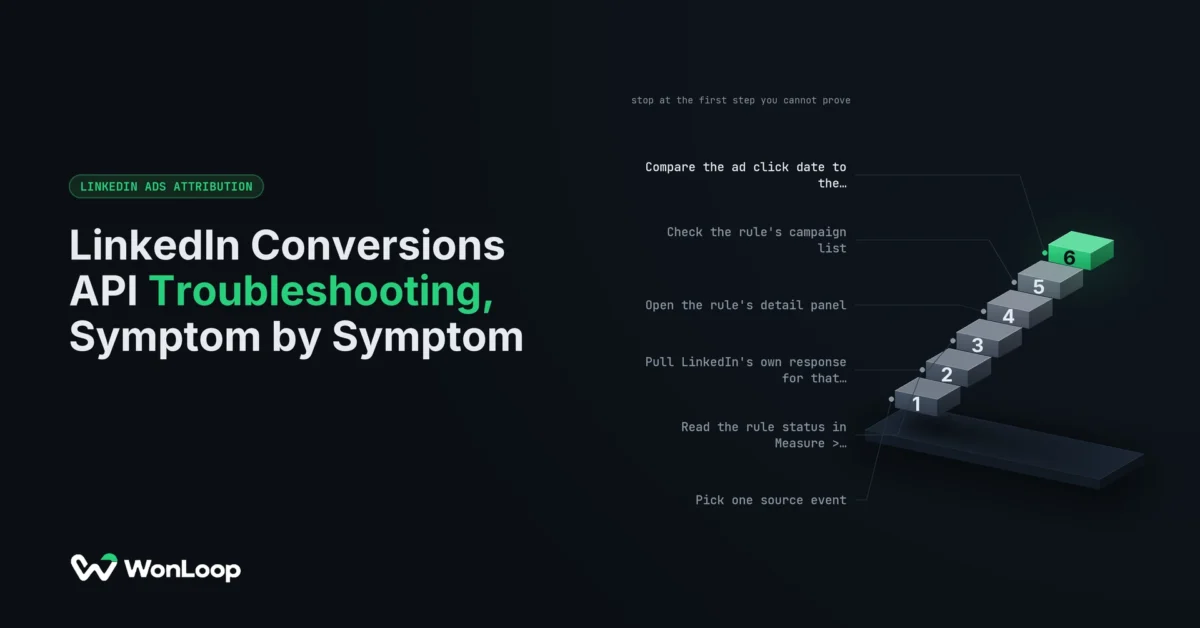
Your connector log says 201 Created. Campaign Manager shows zero conversions on the rule. Both are telling the truth. A 201 means LinkedIn took the request. It says nothing about whether the event matched a member, landed on the right rule, survived dedup, or fell inside a campaign’s lookback window. LinkedIn Conversions API troubleshooting is the job of finding which of those gates stopped the event, one gate at a time.
Change one thing per test. Rotate the token, widen the lookback and remap the email field in one afternoon, and you wipe out the proof of which one mattered. For a first-time setup, start with the LinkedIn Conversions API setup guide instead.
A 201 is a receipt for the request. It is not a conversion, and it is not credit.
Where LinkedIn Conversions API troubleshooting starts: the rule status
Open Campaign Manager, go to Measure > Conversion tracking, and find the one rule you expect the event on. Read that rule’s status, not the account’s connection badge. A green badge tells you a token works. It tells you nothing about this rule.
LinkedIn’s help page on conversion status, checked September 26, 2026, lists six states. Each one points at a different layer:
| Rule status | What LinkedIn says it means | Look here first |
|---|---|---|
| Awaiting activity | No signal yet, inside the first 48 hours | Did the source system create the event? Is the connector pointed at this rule? |
| No activity detected | No events received for this rule | The rule ID in the payload, the connector run log, the raw API response |
| Active | A signal arrived in the past 3 days | Match, dedup and campaign credit. Transport works |
| Active: Low Match Rate | Recent events are unlikely to match profiles | Which identifiers were sent, and in what format |
| No recent activity | Last signal 4 to 7 days ago | Did any qualifying source events happen that week? |
| Inactive | Last signal more than 7 days ago | A stopped job, a revoked token, or a lost permission |
Click an Active status to open its details. LinkedIn can show detected events, the last signal, match rate, how many matching fields arrived, and deduplicated events. The status updates in real time. The counts and match rate can take a few hours to fill in, so write down when you sent the test before you call an empty panel a failure.
API returns 201, Campaign Manager shows zero
 Conversions API docs return
 201 Created for a good event request. That is the transport layer saying yes. Four later gates can still leave the campaign column at zero. Walk them in order:
- Wrong rule. The payload carries a conversion rule ID. Compare it to the rule on your screen. Two rules with near-identical names on one account is common, and the event lands on whichever ID was sent.
- No match. LinkedIn states that only matched events can be used for attribution and optimization. An unmatched event arrives and then goes nowhere. The rule reads Active while the campaign column stays empty.
- Dedup. If the Insight Tag sent the same action with the same
eventId, LinkedIn keeps the tag event and drops the server copy. You got one conversion. That is correct. - No credit. The campaign is not linked to the rule, or the ad click sits outside the lookback window. Both are covered below.
Then check the report itself: date range, campaign filter, and which conversion column you added. “Received today” and “credited to this campaign in this date range” are two different claims. And if your events pass through middleware, get LinkedIn’s response, not the middleware’s. A green tick in a connector describes the connector. A queued event has not reached LinkedIn yet.
The API returns an error, or one bad row sinks the batch
Errors are the easy case, because the response tells you what broke. Read it before you touch the payload.
The docs name the usual causes: a missing access token, missing permissions on the ad account, an event time out of range, no user identifier, or a rule that was switched off or deleted. Log the status code, the error body with secrets stripped, the send time and the rule ID. Keep the auth header out of that log. For token errors, check how that route issued its credentials. Expiry rules differ by route, so one fix will not cover every setup.
Batches need more care. The API takes up to 5,000 events per batch, and one invalid value can fail every record in it. The error names the bad row by batchIndex. In a full batch, the other 4,999 rows failed with it, so none of them count as delivered. Fix the bad field. Then resend the batch with each event’s original ID and original timestamp. A retry is the same conversion sent again, not a new one.
Timestamps trip up CRM syncs most. conversionHappenedAt is a millisecond timestamp, and it must fall inside the past 90 days. A stage backfill older than that gets rejected. Stamping an old event with today’s date makes the request pass and the data lie. Send the true time, or leave the event out.
Events arrive, match rate is low
Active: Low Match Rate means the pipe works and the payload is thin. LinkedIn got the events but cannot tie most of them to a member. Each unmatched event is dead weight for campaign credit.
Every event needs at least one identifier. The accepted set, taken from the API’s own validation error, is SHA256_EMAIL, LINKEDIN_FIRST_PARTY_ADS_TRACKING_UUID (the li_fat_id first-party cookie), ACXIOM_ID, PLAINTEXT_IP_ADDRESS, GOOGLE_AID, first and last name together, externalIds, or a lead. The docs put it plainly: “Send multiple user identifiers if available, to increase match rates.” More fields raise the odds. They do not promise a match.
A low match rate traces to what left your server far more often than to what sits in your CRM. Open the outbound payload and look for four faults:
- The email field was empty when the event fired. The CRM filled it an hour later, after the sync had run.
- The email was hashed twice. The connector hashed a value the CRM had already hashed, and the result is a valid-looking string that matches nobody.
- An empty string passed a “field exists” check and went out as the identifier.
li_fat_idnever reached the server. The browser had the cookie. The server route never read it.
Pick one step to lowercase, trim and hash, and make every other step pass the value through untouched. Then fill the gaps with real data. Guessing an email, or sending the account owner’s, turns an unmatched event into a wrongly credited one, which is worse. A low match rate is never a reason to skip consent.
Conversions show up in the wrong campaign or not at all
The event matched. The rule shows it. The campaign you care about still reads zero. Now it is a credit problem, and credit runs on rules you can read.
First, the campaign link. The API guide says only campaigns linked to a conversion rule can get credit for it. Creating a rule does not link every campaign by itself. The API has a setting for auto-linking, but what counts is the list of links that exists today. Open the rule, read its campaign list, and compare it to the campaign you expected.
Second, two clocks. They get mixed up all the time:
- Event age is how old the conversion is when you send it. The API rejects anything older than 90 days.
- Lookback is how far back from the conversion LinkedIn looks for an ad click or view. Post-click windows come in 1, 7, 28, 30 and 90 days. Click and view windows are set apart, so read both.
Take a CRM stage change from yesterday. It passes the age check. Say the ad click that started the deal was 120 days ago. With a 90-day post-click window, that deal gets no credit, and the API was still right to take the event. Our buyers run sales cycles of 60 days and longer, so for opportunity and closed-won events this is the normal case, not the edge case. Widening the window is a reporting policy change. Make it on purpose, write down the date, and never call it a repair.
Moving a campaign’s target to a CRM stage has one more cost. It restarts the LinkedIn learning phase on that campaign, which needs roughly 50 events a month to finish. A thin stage event can hold a campaign in learning for months, so check the monthly volume before you switch.
This is what attribution implementation, as opposed to attribution claims, looks like on a real ticket. The rules that tie an event to a campaign are written down. You read them instead of guessing.
Server count is lower than tag count
You run the Insight Tag and CAPI side by side, which is the setup LinkedIn recommends. The server rule shows fewer conversions than the tag rule. Most of the time, that is dedup doing its job.
LinkedIn’s dedup docs, checked September 26, 2026, say it directly: “If we receive an Insight Tag event and a Conversions API event from the same account with the same eventId, we discard the Conversions API event and count only the Insight Tag event in campaign reporting.” The tag wins. The server copy exists to catch the events the browser lost to ad blockers, iOS privacy rules and expired cookies. The rest of the gap is usually match rate, since unmatched server events never reach a campaign.
So a lower server count is expected. The questions worth asking are about the IDs:
- Does the page set
window._linkedin_event_idbefore the Insight Tag base code runs? If it sets it after, the tag fires with no ID. - Does the server send that exact value as
eventId? Random IDs made up on each side break the pair, and the action counts twice. - Is one fixed ID reused across different actions? Then separate, real conversions fold into one.
Retries are a separate problem. If a request times out after LinkedIn already took it, find out what your connector sends next before you trust a fresh ID.
The reverse symptom is the one to worry about. If the server count sits above the tag count, and campaign totals jumped the week CAPI went live, check for broken IDs first. Double counting makes cost per lead look healthier without adding a single prospect. Switching dedup off to grow the total is the same trick with extra steps.
The LinkedIn Conversions API troubleshooting table: symptom, cause, first check
Each row starts from what you can see and ends at the one place to look first.
| Symptom | Likely cause | First check |
|---|---|---|
| 201 returned, campaign shows 0 | Wrong rule ID, no match, or dedup | Rule ID in the payload vs the rule on screen |
| No activity detected | Connector not running, or aimed at another rule | Connector run log and LinkedIn’s raw response |
| Error on a whole batch | One bad row failed every record | batchIndex in the error body |
| Active: Low Match Rate | Empty, double-hashed or missing identifiers | The outbound payload, not the CRM record |
| Rule has events, campaign has none | Campaign not linked to the rule | The rule’s campaign list |
| CRM deal credited to nothing | Ad click outside the lookback window | Click date vs the rule’s post-click window |
| Server count below tag count | Dedup on a shared eventId (expected) |
Deduplicated events in the rule’s detail panel |
| Server count above tag count | Tag and server send different IDs | window._linkedin_event_id vs the server eventId |
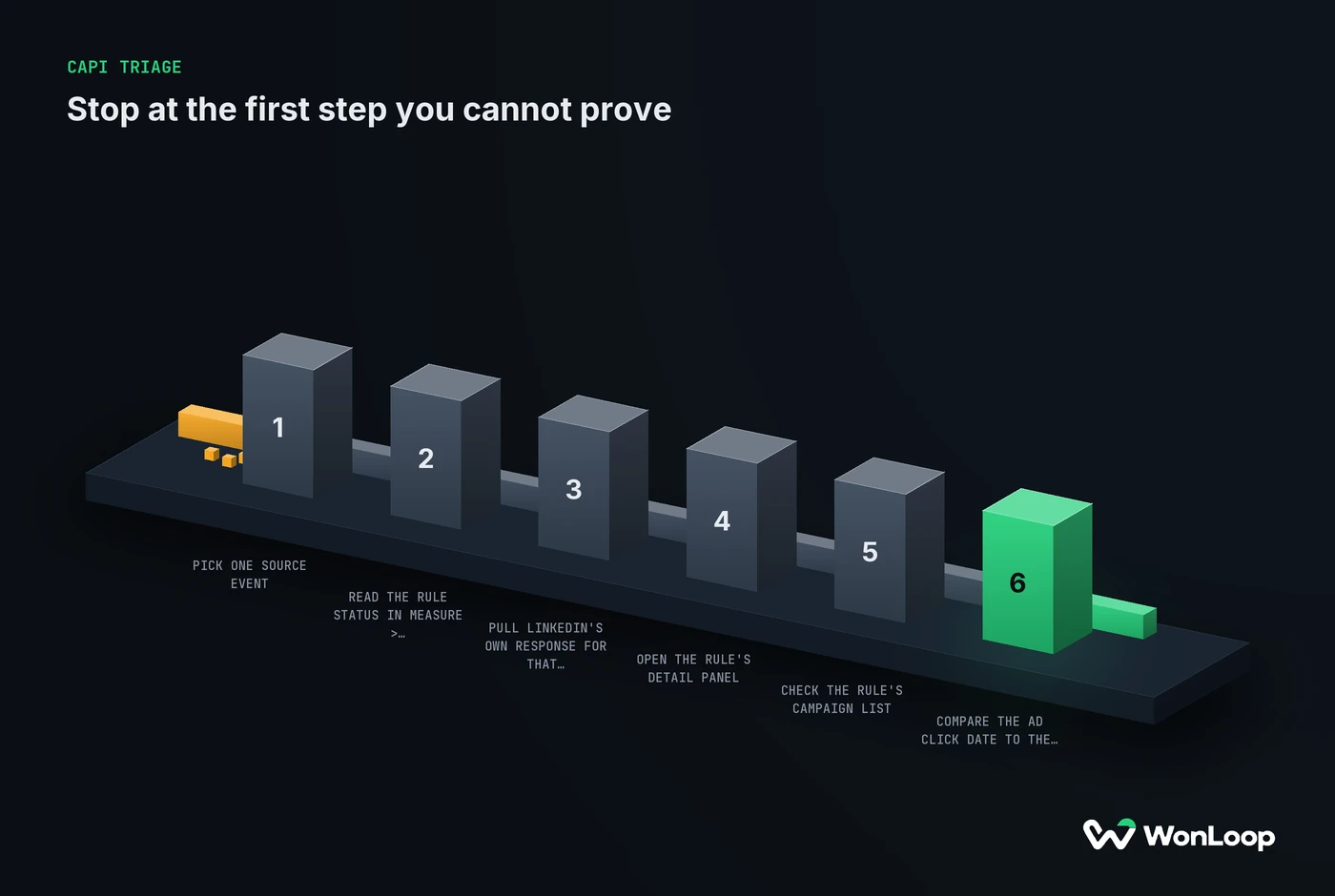
Run the checks on one event, in this order:
CAPI TRIAGE
stop at the first step you cannot prove
6 steps
Pick one source event.
Keep its original ID and its business timestamp.
Read the rule status in Measure > Conversion tracking.
Anything but Active means the event never landed on this rule.
Pull LinkedIn's own response for that request.
A 201 proves receipt and nothing after it.
Open the rule's detail panel.
Match rate and dedup counts show what happened after receipt.
Check the rule's campaign list.
An unlinked campaign gets no credit.
Compare the ad click date to the post-click window.
Event age and lookback are two separate clocks.
After a fix, run one test event through the failing path with the same report settings. Replaying live events until the number moves just adds noise to real data.
Close the ticket with a record: the source event, the rule, the request outcome, the status, the change made, and whatever is still unproven. “We reconnected it” is an action. It is not a diagnosis.
The bottom line
LinkedIn Conversions API troubleshooting runs in one order: source event, delivery, response, match, dedup, then credit. Find the first step you cannot prove and work there. A 201 proves the second step. It proves nothing after that.
A fixed signal should be easier to defend, not just bigger. That is the job of LinkedIn Signal Repair: a fixed-price, 14-day project that traces where your conversions leak and fixes the plumbing. We will not pad your counts by switching off dedup or restamping old events. And when the gap is a lookback window rather than a broken pipe, we will say so.